Load & Job Assignments
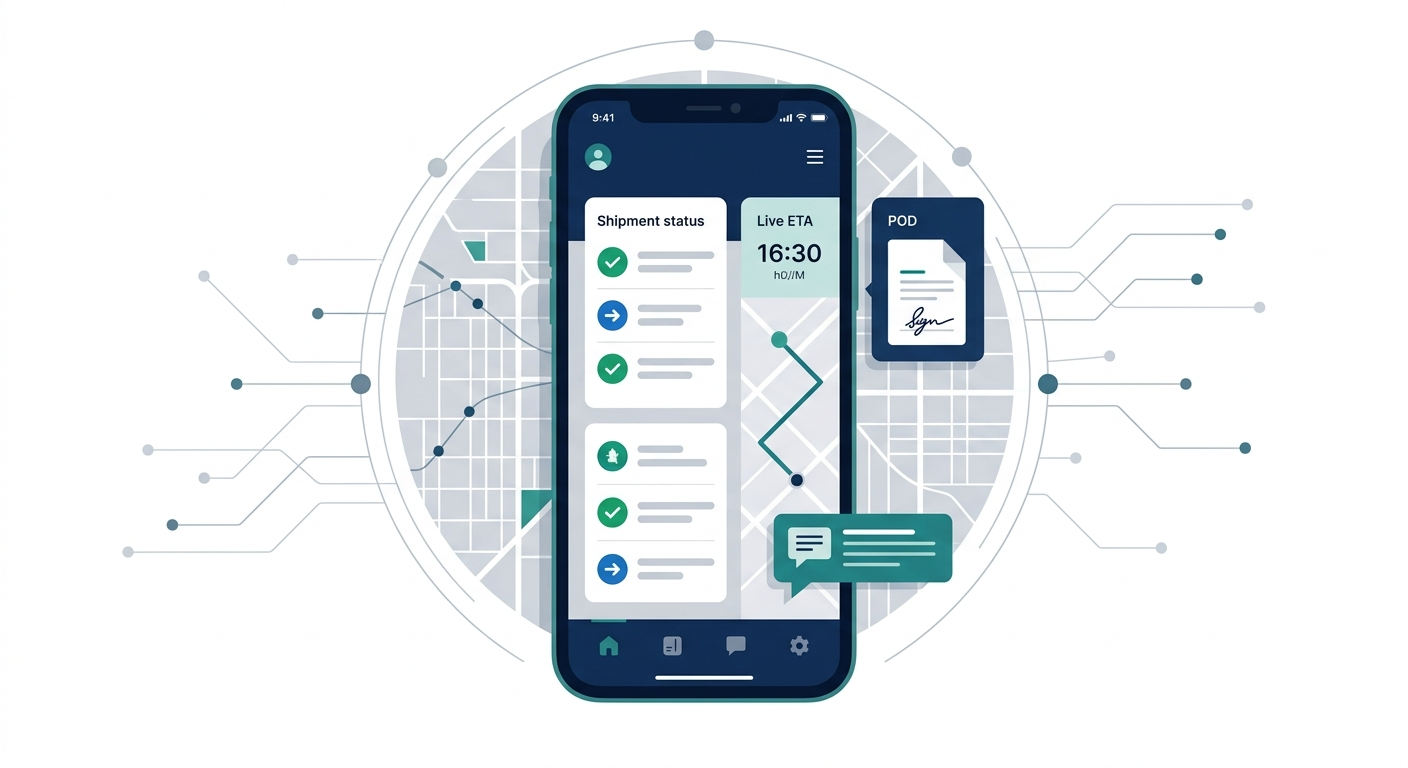
Send new loads or delivery jobs directly to the driver's phone with pickup, delivery, customer and equipment information.

Give drivers one mobile app for load assignments, navigation, status updates, documents, PODs, inspections, issue reporting and communication with dispatch.
Tvareet develops custom driver applications connected directly to your TMS, dispatch platform, fleet-management system or existing business software.
The problem
Drivers often receive load information through phone calls, text messages, WhatsApp, email and printed documents while dispatchers manually chase updates throughout the day.
This creates unnecessary communication, delayed paperwork and limited visibility into what's happening on the road.
A custom driver app connects drivers directly with your operational platform.
Disconnected Driver Workflow
One connected driver workflow
The outcome
Drivers shouldn't need five different applications to complete one job.
We develop driver apps around the exact actions your drivers perform throughout the day, while keeping dispatchers and operations teams updated automatically.
Drivers receive assignments, instructions and updates directly in the app.
BOLs, PODs, receipts, photos and signatures reach the office immediately.
Dispatch can see job status without repeatedly asking drivers for updates.
Give every driver the same structured process for completing jobs and reporting issues.
Capabilities
Send new loads or delivery jobs directly to the driver's phone with pickup, delivery, customer and equipment information.
Give drivers one place to see addresses, appointment times, reference numbers, contact information, notes and special instructions.
Allow drivers to move jobs through predefined statuses such as accepted, en route, arrived, loaded, delivered and completed.
Open turn-by-turn navigation or integrate supported mapping and routing services into the workflow.
Drivers can photograph or upload documents directly against the correct load.
Capture delivery photos, damage evidence, signatures or other proof required by your operation.
Notify drivers when loads are assigned, schedules change, documents are missing or dispatch sends an update.
Keep operational communication connected to the job instead of scattered across personal messaging applications.
Build configurable vehicle inspection workflows for pre-trip, post-trip or company-specific checks.
Drivers can report defects, attach photos and send vehicle problems directly to fleet or maintenance teams.
Drivers can submit fuel receipts, tolls, parking and other trip-related expenses.
Important workflows can be designed to continue working in low-connectivity areas and synchronize when connectivity returns.
Show us the steps drivers take from assignment to delivery, and we'll design the app around those actions.
Assignment workflow
Once a load is assigned, the driver receives the information directly instead of waiting for a call, message or printed sheet.
Trip progress
Each driver action can update the back-office system immediately, allowing dispatchers and customers to understand where a shipment stands.
This becomes particularly powerful when linked todispatch software.
Proof of delivery
Drivers can complete delivery and send supporting documentation to the office before leaving the location.
Arrive at Delivery
Confirm Delivery
Capture Signature
Take Photos
Upload POD
Submit
Office Receives Documents
Billing Can Begin
Document quality
Poor-quality document photos can slow billing and force office teams to contact drivers again. Driver applications can include validation steps before documents are submitted.
Image-quality validation can be incorporated depending on requirements. We don't promise perfect automatic blur detection — checks are scoped around what your billing team actually rejects today.
Inspections
Replace paper inspection forms with configurable mobile inspection workflows.
Inspection templates can be configured around different vehicle types and company procedures — pre-trip, post-trip or checks specific to your operation. We build inspection workflows rather than claiming a particular regulatory certification unless the project is scoped to those requirements.
Maintenance issues
Defects can be sent straight to fleet or maintenance teams instead of sitting in a voicemail or a WhatsApp chat. This connects naturally tofleet management software.
Driver Reports Issue
Fleet Team Receives Alert
Maintenance Case Created
Repair Scheduled
Issue Closed
Location
Depending on your application requirements and device permissions, location data can support trip visibility, arrival detection and operational updates.
Offline mode
Drivers regularly operate in warehouses, yards, rural areas and other locations where mobile connectivity can be unreliable. Critical workflows can be designed to work offline and synchronize with the server when connectivity returns.
Synchronizing...
5 updates uploaded
Driver documents
Depending on the business, the app can provide access to the documents drivers actually need on the road. Expiry alerts and acknowledgment workflows can be added when required.
Company documents
Safety policies
Training material
Permits
Load documents
Vehicle documentation
Site instructions
RAMS or operational documents
Communication
Instead of losing important information inside personal chats, communication can be attached to the relevant load, vehicle or issue. Push notifications can alert drivers without requiring constant app checking.
Connected system
A driver application becomes significantly more useful when it connects directly to the office. Dispatchers, fleet managers and administrators can manage driver activity from a web platform while drivers work from the mobile application.
Back Office
Driver App
Integrations
Your driver app doesn't have to become another disconnected application. It can work with the software already used by your operation.
Integration possibilities depend on the provider's APIs, permissions and technical capabilities.See logistics integrations
Who this is for
Loads, dispatch, PODs, inspections, driver communication and issue reporting.
Job assignments, navigation, delivery status, photos and signatures.
Multi-stop routes, proof of delivery, customer notifications and delivery exceptions.
Jobs, site information, photographs, forms and worker updates.
Driver assignments, inspections, vehicle reporting and operational communication.
Build driver workflows around unique equipment, cargo or compliance requirements.
Build vs buy
| Generic Driver App | Custom Driver App |
|---|---|
| Fixed workflow | Your driver's actual workflow |
| Standard forms | Custom inspections and forms |
| Limited integrations | Custom API integrations |
| Generic load statuses | Your operational statuses |
| Standard branding | Your company's experience |
| Vendor roadmap | Features based on your priorities |
Generic Driver App
Fixed workflowCustom Driver App
Your driver's actual workflowGeneric Driver App
Standard formsCustom Driver App
Custom inspections and formsGeneric Driver App
Limited integrationsCustom Driver App
Custom API integrationsGeneric Driver App
Generic load statusesCustom Driver App
Your operational statusesGeneric Driver App
Standard brandingCustom Driver App
Your company's experienceGeneric Driver App
Vendor roadmapCustom Driver App
Features based on your prioritiesGeneric driver applications are often suitable when your workflow is standard.
Custom development becomes valuable when your drivers have unique operational steps, you need to connect several existing systems, or generic apps force your team to work around limitations.
Start small
You don't need to build every feature at launch. We can start with the workflows that create the biggest operational improvement and expand the app over time.
Technology
We build cross-platform mobile applications using technologies such asReact Native, allowing a shared product experience across iOS and Android while still supporting native device capabilities where required.
Mobile
React Native
Backend
Node.js / TypeScript
Database
PostgreSQL
Cloud
AWS
Notifications
Push Notifications
Maps & GPS
Maps & GPS
Real-Time
WebSockets
APIs
REST APIs
Offline
Offline Data Sync
We map what drivers currently receive, enter, photograph, report and communicate throughout a job.
The app is designed around simple actions that drivers can complete quickly while working.
Driver workflows are connected with dispatch, fleet or other operational systems.
We test assignments, low connectivity, document uploads, location workflows and real-world driver scenarios.
Deploy the application and support your team through rollout.
Add functionality based on actual driver and dispatcher feedback.
Why Tvareet
Driver software sits between the road and the office. It needs to work for drivers while also feeding accurate information into dispatch, fleet, maintenance, billing and customer workflows.
Tvareet develops logistics-focused web and mobile systems that connect those parts of the operation — including driver apps, GPS, POD workflows, fleet management and offline mobile requirements.
Driver mobile applications
GPS & POD workflows
Document capture
Fleet & dispatch connection
Offline-capable workflows
API integrations
Are drivers receiving jobs through calls or WhatsApp? Sending PODs as photos? Filling inspections on paper? Calling dispatch for every update? Show us the current workflow and we'll help identify what could be moved into one driver application.
Get a Free Driver Workflow Review. Start with the number of drivers, how jobs are assigned and what drivers currently need to report back to the office. Prefer a scoped quote?Request a Project Estimate.
PODs, offline mode, GPS, inspections, TMS integrations, iOS and Android, and cost.
Let's build
From load assignment to POD submission, connect your drivers directly with dispatch and the rest of your operation.